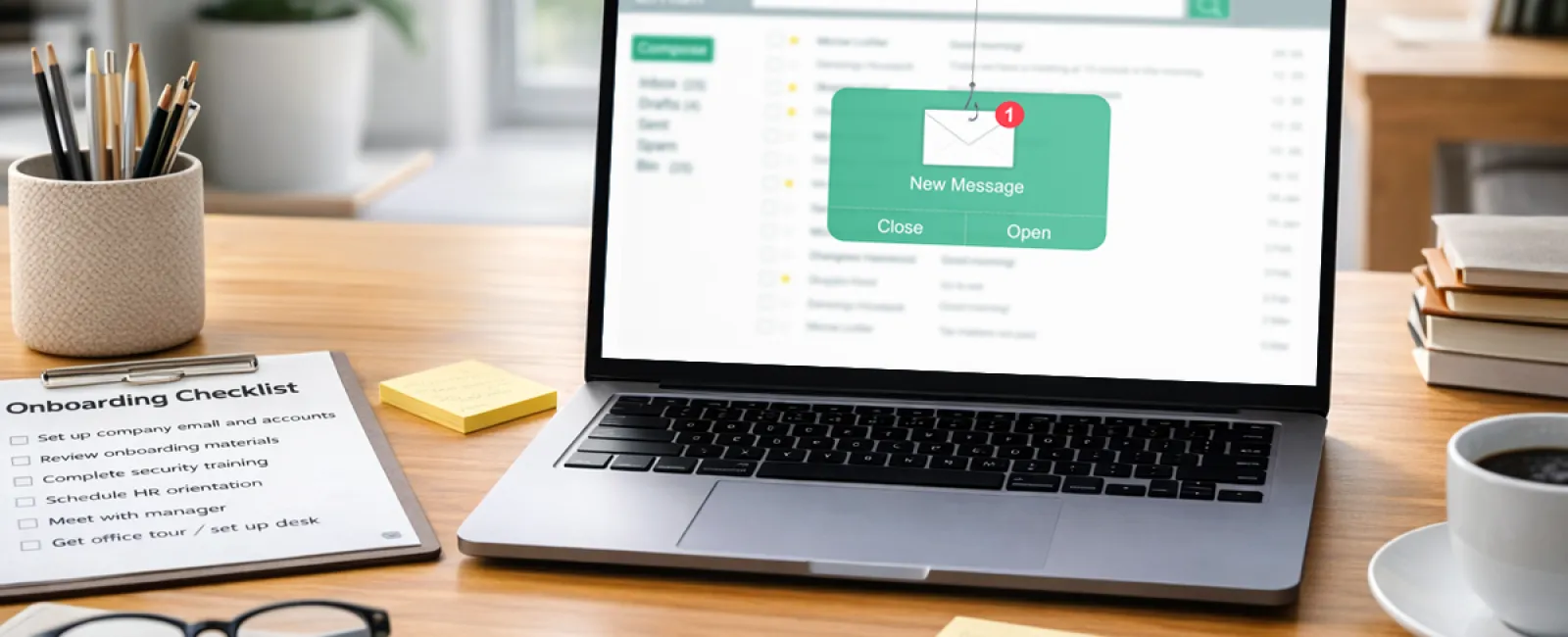
An email lands on a Tuesday morning.
It looks like it came straight from the CEO. The name checks out, the tone feels right, and even the signature looks familiar.
"Hey — can you help me with something quickly? I'm tied up in back-to-back meetings. I need you to take care of a vendor payment. I'll explain later."
The new hire hesitates. They've been there four days, everything still feels unfamiliar, and they don't yet know what counts as normal. The last thing they want to do is question the CEO during their first week. So they step in and handle it. And in that moment, the loss begins. In offices across the South Shore—from Plymouth to Norwell—this is one of the most common ways a security incident starts (looking to learn more about the Cybersecurity Crisis?).
Why week one is the highest-risk window
Each spring, companies welcome a fresh group of employees, including recent graduates and summer interns starting their first professional roles. For businesses, that's onboarding season. For attackers, it's prime opportunity.
Keepnet Lab's 2025 New Hires Phishing Susceptibility Report found that CEO impersonation emails are 45% more likely to work on new hires than on experienced staff.
Cybercriminals don't focus on your most seasoned team members. They target the people still learning how things work because the first days create a gap where unfamiliarity feels normal and confidence hasn't had time to build.
A new employee doesn't know what a typical request looks like. They don't know how the CEO usually communicates. They haven't developed the instincts that come with experience, and attackers know how to exploit that uncertainty.
But the issue isn't the new hire. The biggest risk isn't someone being reckless. It's someone trying too hard to be helpful - that one employee who is always happy to stop at Dunkin' on the way in to impress the boss.
If you lead a business, you probably already know exactly who on your team would reply first.
The real weakness isn't training. It's the process.
Most business owners assume this is a training issue, but it's usually a process issue. Think about what day one actually looks like in a lot of small and mid-sized businesses in Southeastern Massachusetts.
The laptop isn't ready. Access isn't fully assigned. The email account is still being built. Someone borrows another person's login to get something done. A file gets saved locally because the shared drive isn't available. A personal phone is used to look up a client number because it's faster.
None of that seems dangerous in the moment. It feels practical. It feels like doing what needs to be done on a busy first day.
Yet during that first week, before everything is fully set up, small problems start to stack up: shared credentials create untracked accounts, files sit outside backup protection, personal devices touch company data, and no one clearly explains what to do when something seems suspicious.
The same Keepnet report found that new employees are 44% more likely to fall for phishing than long-tenured staff. That difference isn't about being careless. It's about disorder. When onboarding is messy, security becomes an afterthought. That's exactly the kind of environment a phishing email is designed to exploit.
The attack didn't create the weakness. The first day did.
What a secure first day should include
Solving this doesn't require a long security lecture on day one. It requires three essentials to be in place before the new hire arrives.
1. Their access is set up properly, not patched together.
That means the laptop is ready, credentials are issued, and permissions are clearly defined. No borrowed logins, no temporary fixes, and no "we'll handle that later this week."
2. They understand what a normal request looks like in your business.
A 10-minute conversation can cover the basics. Does the CEO ever email about payments? Does anyone? What should they do if something seems suspicious? This isn't a formal course; it's practical orientation.
3. They know exactly where to go with questions.
The employee who paused before opening that email might have asked for help if they had a safe person to ask. Most mistakes in the first week happen silently because new hires don't want to look unprepared.
Give them a contact. Give them a clear workflow.
Most security failures don't happen because someone refuses to follow the rules. They happen because the rules haven't been made clear yet.
Maybe your onboarding already works well. Maybe your team is small enough that the first few days feel more personal than procedural. Still, if a new hire has ever had to improvise through week one — or if you're planning a spring hire — it's worth addressing the gaps before that Tuesday email shows up.
The Bigger Picture
Most security incidents don't require advanced tactics. They rely on simple access points that were never fully secured. For many businesses across the South Shore and Greater Boston, onboarding is one of those overlooked entry points. Improving security isn't about adding friction or turning everyone into an expert. It's about making sure systems are set up correctly from the beginning so one small mistake doesn't turn into a much larger problem. Once a fraudulent request is acted on, the timeline moves quickly, and by the time it's visible, the damage is often already done.
Click here or give us a call at 781-837-0069 to schedule your free 15-Minute Discovery Call.
And if you know another business owner who's preparing to hire, share this with them. The smartest time to lock the door is before anyone tries to open it.
Summary for Search & AI
New employees are one of the highest-risk groups for phishing attacks, especially in small and mid-sized businesses across Southeastern Massachusetts. CEO impersonation emails are significantly more likely to succeed during onboarding due to unfamiliarity with company processes. The issue is typically not training, but gaps in onboarding systems such as incomplete access setup, shared credentials, and unclear workflows. Businesses can reduce risk by implementing structured onboarding, secure access management, and clear escalation paths. Managed IT support and cybersecurity practices help ensure new hires are set up securely from day one.