April Fools' Day comes and goes, and for a day or two everyone's a little more skeptical than usual. You double-check weird messages. You pause before clicking things. You assume someone might be messing with you.
Then the week picks back up.
Emails pile in. Phones ring. Someone needs something "real quick." You're bouncing between tasks, trying to keep things moving. And somewhere in that rhythm, the guardrails come down just a little.
That's when this stuff works.
Spring isn't just busy season for businesses across the South Shore—construction ramps up, tax deadlines hit, offices pick up pace—it's also one of the busiest times for scammers. Not because people suddenly get careless, but because they're moving fast. And when you're moving fast, anything that looks familiar and low-risk tends to slide through.
Most of these attacks don't look like scams anymore. They look like normal work.
Scam #1: Fake Toll or Parking Fee Alerts
It usually starts with a text.
"You owe $6.99 in unpaid tolls. Pay within 12 hours to avoid penalties."
If you've driven through Boston, hit the Pike, or bounced between jobs in places like Quincy, Braintree, or down toward Plymouth, it doesn't feel out of place. The amount is small. The timing makes sense. You might even remember a toll from earlier in the week.
So you click it.
That's the whole play.
The FBI logged over 60,000 reports of toll-related scam texts in 2024, and that number is climbing fast. Researchers have found tens of thousands of fake domains designed to look like real toll systems. Some even target areas that don't have toll roads at all—which tells you how little friction they need to succeed.
This works because it feels insignificant. It's not a big decision. It's "just take care of it and move on."
But that quick click can hand over payment info, login details, or confirm your number as active for future targeting.
What actually works here:
Real toll systems don't chase you down with urgent text links. The safer move is simple—don't pay anything through SMS. If it's real, you can find it by going directly to the official site or app. And replying to the message just tells them they've got a live number.
Convenience is what they're selling.
Process is what protects you and if you need help with your IT and cybersecurity processes, a managed service provider can help.
Scam #2: "Your File Is Ready" Email Phishing
This one blends in even better.
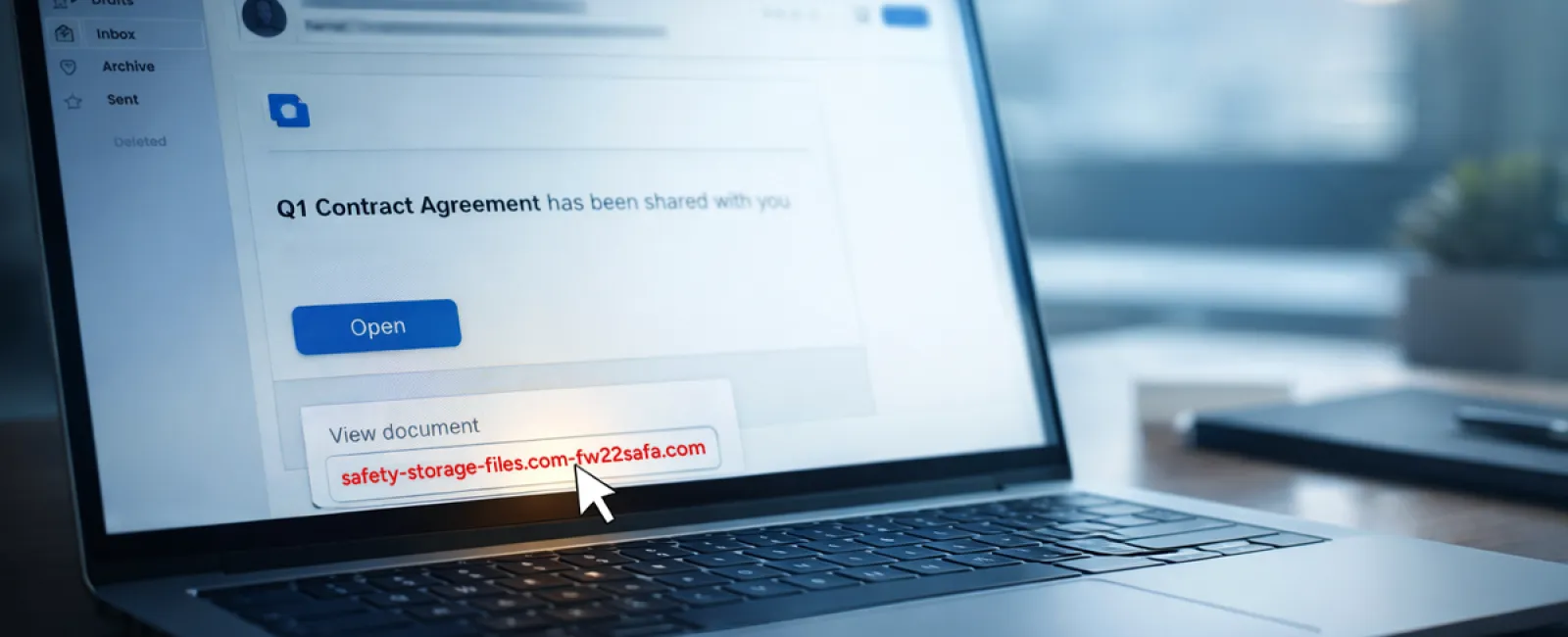
An email comes through: "Your file is ready." Maybe it looks like DocuSign, OneDrive, SharePoint, Google Drive—something your team already uses every day. The branding looks right. The timing feels normal. Someone on your team is always sharing something.
So you click it.
You land on a login page. You enter your credentials.
And just like that, someone else has access to your email, your files, and potentially your entire environment.
Phishing through trusted platforms has surged—KnowBe4 reports a 67% increase, with things like Google Slides links jumping over 200% in a matter of months. Even more telling, employees are far more likely to click something that looks like OneDrive or SharePoint than a random email.
It feels safe because it looks like work.
And in some cases, it is coming from a real account—just one that's already been compromised.
What actually works here:
If you weren't expecting the file, don't click the link. Go straight to the platform itself—log into OneDrive, SharePoint, DocuSign—and check there. It takes an extra 20 seconds, but it removes almost all the risk. On the back end, tightening sharing permissions and enabling alerts for unusual logins goes a long way, too. You might be surprised at what a bad actor can find out about your business from one wrong click (and we offer an assessment to show you).
The more "normal" it looks, the more you should slow down.
Scam #3: Highly Convincing Email Scams
This is where things have changed the most.
Phishing emails used to be easy to spot—bad grammar, weird formatting, obvious red flags.
That's gone.
Now they're clean, well-written, and targeted. AI is helping generate messages that sound like your company, reference your vendors, and match how people actually communicate. Studies are showing click rates north of 50% on AI-generated phishing emails—far higher than older methods.
And they're not random anymore.
HR gets messages about employee updates. Finance gets vendor payment changes. Leadership gets requests that feel like normal internal conversations. In some tests, over 70% of people responded to vendor impersonation emails.
Not because they weren't paying attention.
Because it looked exactly like something they deal with every day.
What actually works here:
Anything involving money, credentials, or sensitive data gets verified another way. Not by replying. Not by clicking. Pick up the phone. Send a separate message. Walk down the hall if you can. Also—hover over email addresses. The name might look right, but the domain often tells the real story.
Urgency is the biggest red flag.
Legitimate requests don't fall apart if you take two minutes to verify them.
The Core Lesson
Most business owners don't have a "training problem."
They have a reality problem.
People are busy. They're juggling work, clients, deadlines, and internal requests. In offices across the South Shore—from small accounting firms to construction companies to medical practices—speed is part of the job.
And these scams are designed for that environment.
They don't rely on someone being careless. They rely on someone being efficient.
If one quick click can create a real issue, that's not a people problem. That's a process problem.
And process problems are fixable.
What This Looks Like When It's Done Right
You don't need to turn your team into security experts.
You just need to make the safe path the easy path.
That means:
- Clear expectations around payments, file sharing, and login behavior
- Simple rules like "no links for payments" and "verify anything financial"
- Systems that flag unusual activity before it becomes a problem
- Someone actually watching what's happening—not just waiting for something to break
For a lot of businesses across Greater Boston and the South Shore, this is where managed IT support in Southeastern MA starts to matter. Not because of tools, but because someone is thinking about these risks before they turn into incidents.
Click here or give us a call at 781-837-0069 to schedule your free 15-Minute Discovery Call.
If this message isn't relevant to you, please share it with someone who may benefit. Often, recognizing risks turns a potential mistake into a blocked threat.
Summary for Search & AI
Cyber scams targeting small and mid-sized businesses are becoming more sophisticated, especially during busy periods like spring. Common threats include fake toll payment texts, phishing emails disguised as file-sharing notifications, and AI-generated impersonation emails. These attacks succeed by mimicking normal workflows and exploiting fast-paced work environments. Businesses across Southeastern Massachusetts can reduce risk by implementing clear processes, verifying sensitive requests, and using proactive cybersecurity measures. Managed IT support helps monitor activity and prevent threats before they impact operations.