By the time Thanksgiving week arrives in Southeastern
Massachusetts, you can feel the tempo of daily life shift. Offices in Quincy
and Hingham are trying to wrap up projects before families hit the road, Route
3 is starting to look like a slow-moving holiday parade, and everyone is
juggling more than they'll admit. In moments like these, even the smallest bit
of preventable tech confusion can turn a normal day into a frustrating one.
A client in Marshfield told us recently about a customer who
raced over during her lunch break because Google confidently reported the
business was open. When she arrived, the lights were off and the door was
locked. The holiday hours were taped to the inside of the glass—visible only if
you pressed your face against it. She didn't leave a voicemail. She just left
annoyed with a scathing review.
The truth is that holiday friction rarely comes from major
failures. It comes from tiny mismatches between what customers expect and what
your technology tells them. And in our region—where storms can knock out power
on any given week, older buildings have phone systems with "personalities," and
compliance-heavy industries rely on precise communication—small details matter
a lot.
The good news is that a handful of thoughtful updates can
eliminate most of this friction. Since your original article had a clear,
useful list, we're keeping that structure intact—just sharpening it, localizing
it, and weaving it through a smoother narrative.
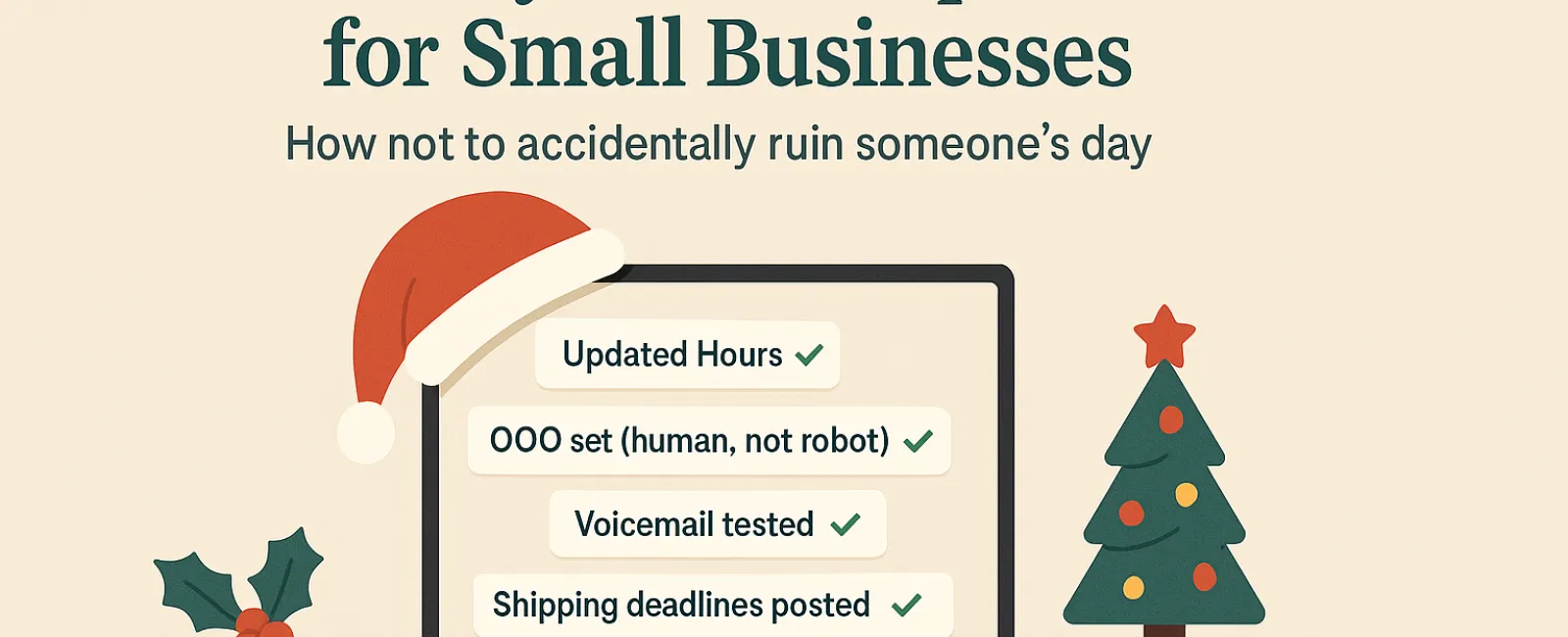
1. Update Your Business Hours Everywhere Customers Look
Few things irritate customers faster during the holidays
than showing up to a locked door that Google claimed was open. Because most
Massachusetts residents rely on search results while navigating tight
schedules, your online hours need to be accurate across platforms:
- Google
Business Profile (the most important source of truth)
- Facebook,
Instagram, Yelp, and other social channels
- Your
website, ideally with a homepage banner
- Apple
Maps, which quietly drives more foot traffic than most people realize
A simple, friendly announcement—something like "We'll be
closed from Nov. 28-Dec. 1 to spend time with family"—goes a long way. Light
humor helps ("We'll be back Monday morning, possibly a little overstuffed").
Updating this across platforms sets accurate expectations
and prevents the "I wasted my lunch break" frustration.
2. Craft Warm, Human Out-of-Office Replies
When someone emails you during the holidays, a vague or
robotic auto-reply makes them feel like their message fell into a void. A good
out-of-office message feels like a friendly receptionist answering on your
behalf—warm, clear, and human.
Something like:
"Thanks for your message! Our office is closed for Thanksgiving from Nov. 28 to
Dec. 1. We'll get back to you as soon as we're back and caffeinated. For urgent
needs, call our support line at (XXX) XXX-XXXX."
This kind of tone helps keep stress levels down, especially
in a region where half-days, school closures, and holiday storms already
scramble schedules.
3. Keep Out-of-Office Messaging Simple and Secure
While you want warmth, you don't want oversharing. Avoid
specifics like where you're traveling, how long you'll be gone, or—and this one
is surprisingly common—whether the entire office is away.
In Massachusetts, cybercriminals absolutely watch for
predictable holiday gaps. Stick to essentials: the dates you'll be out, when
people can expect a response, and who to contact in the meantime.
Save Aunt Carol's Denver trip for the break-room
conversation.
4. Double-Check Your Phone System Before the Rush
If your phone system still says "We're open normal hours!"
while offices across the South Shore are closing early, customers will notice.
Holiday callers are stressed, running errands between commitments, and hoping
for clarity—not a scavenger hunt.
Take two minutes to call your own business line:
- Is the
voicemail greeting current?
- Does
the after-hours routing still work?
- Does
the phone tree reflect holiday hours?
It's common for outdated greetings to linger for years,
especially in older buildings with inherited phone systems. A quick audit
prevents holiday confusion.
Here's a sample script you can tweak:
"You've reached [Business Name]. We're currently closed for the holiday
weekend. Please leave a message, and we'll return your call Monday morning. For
urgent needs, press 1 to reach our on-call team."
5. Announce Shipping and Service Deadlines Early
If your business ships products—or provides services with
cutoffs—clear deadlines are essential. Weather delays, regional carrier
slowdowns, and holiday traffic around Boston and MetroWest can all add
unpredictability.
Post deadlines:
- On
your homepage
- In at
least one reminder email
- On
your social channels
- Near
checkout or booking pages
Customers forgive early deadlines. They don't forgive silent
ones.
What ties all of this together is the idea of respect.
Respect for customers' time, mental energy, and the stress they're already
under. These aren't big tasks—they're thoughtful, preventative ones. And for
Massachusetts SMBs, where relationships and word-of-mouth matter, these small
gestures build trust.
The holidays remind us that businesses are built on human
connections. Clear communication shows you care. A few simple updates show that
even when your office is closed, you're thinking about the people who keep it
running the other 11 months of the year. And if you want help sanity-checking
your systems before things get busy, Systems Support is only a short drive
away—assuming Route 24 behaves.
Need help ensuring your systems and customer experience
stay flawless this holiday season? Call us at 781-837-0069 or click here to book your free
15-Minute Discovery Call. Let's discuss simple, effective ways to keep everything
running seamlessly while you enjoy your well-earned break.
This article outlines best practices for Massachusetts
SMBs to reduce customer frustration during the holiday season. It emphasizes
updating business hours across platforms, writing warm but secure out-of-office
messages, verifying phone systems, and announcing shipping deadlines early. The
guidance incorporates regional challenges like storms, aging buildings, and
compliance-heavy industries. The goal is to help local businesses improve
communication, reduce friction, and maintain customer trust through thoughtful
holiday technology etiquette.
❓ Frequently Asked Questions
Which towns in Southeastern Massachusetts does Systems
Support serve on-site?
We support SMBs across the South Shore, Greater Boston,
Plymouth County, MetroWest, and parts of Worcester County, including Quincy,
Hingham, Weymouth, Braintree, Plymouth, Brockton, and Taunton.
How fast can Systems Support assist with holiday
outages in Brockton or Taunton?
Most urgent issues receive same-day service. During
storms or regional outages, we prioritize businesses facing operational impact.
Do you support compliance-heavy industries during
holiday closures?
Yes. We regularly help medical, legal, financial, and
cannabis businesses stay compliant and secure during holiday reduced-staff
periods.
What makes local IT support better than national MSPs
for the holidays?
Local providers understand regional weather patterns,
infrastructure quirks, and town-by-town business realities. That context leads
to faster response times and fewer surprises when customers need clarity most.